01 / IN THE PLATFORM
Alerts your team can act on.
Review device status, video loss and memory warnings. Distinguish an offline vehicle from a confirmed fault before deciding what needs attention.

FLEET SUPERVISION · POWERED BY MANTIS RECON
Connect camera risk signals, multi-angle video and available telemetry. Help fleet managers and insurers understand risk, investigate incidents and move claims forward.

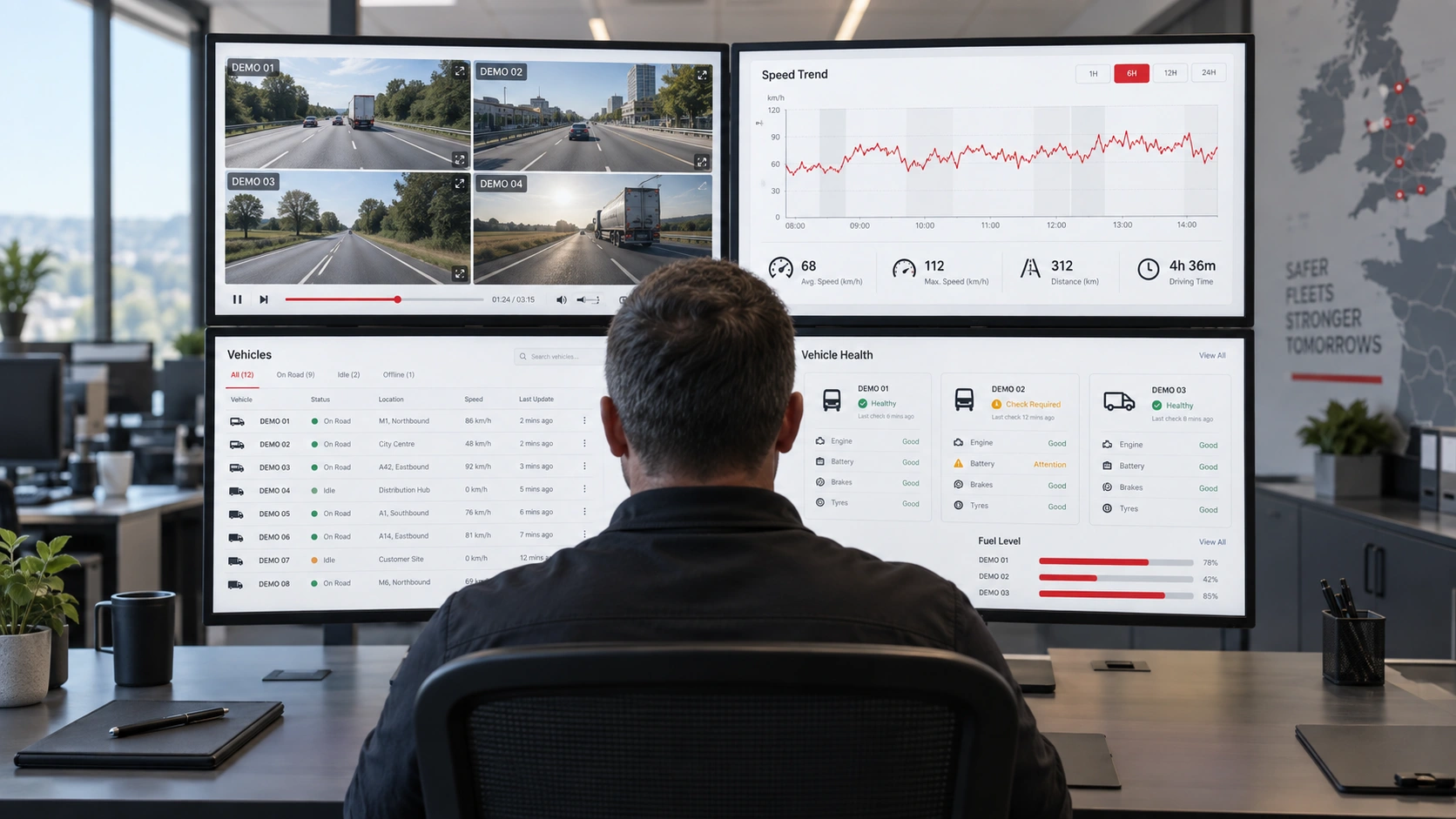 Video. Risk. Events. Evidence.One connected investigation.
Find retained video by trip and time, select the available camera angles and review the same moment across the vehicle. RECON brings the investigation to your laptop or tablet.
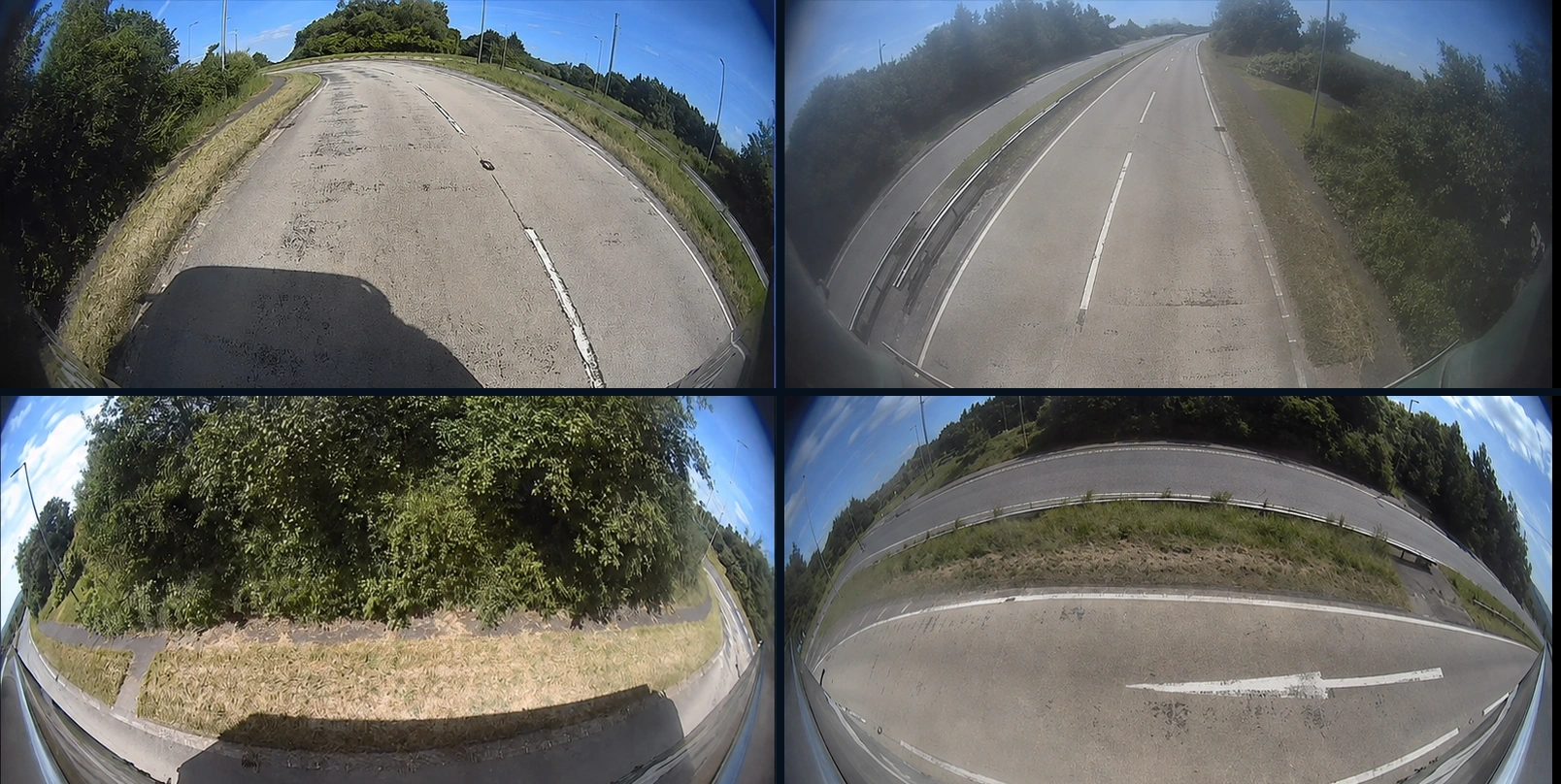
Explore 360° video & timelineIllustrative software concept and privacy-edited stills. Available views depend on the installed cameras.
EVIDENCE CENTRE / ON DEMANDDEMO-001 · Camera-view demonstration
CAMERA CONFIDENCE IS A PROCESS
A connected camera is only part of the answer. Combine platform visibility, a regular health report and a clear support escalation path.
01 / IN THE PLATFORM
Review device status, video loss and memory warnings. Distinguish an offline vehicle from a confirmed fault before deciding what needs attention.
02 / IN THE INBOX
Use the emailed health report to keep exceptions visible. Agree the recipients and who owns the follow-up across your operation.
03 / WITH SUPPORT
The MANTIS health workflow includes reporting critical memory faults to support. Confirm the escalation arrangements and responsibilities for your service.
Cameras fail. A fault that nobody acts on is the same as no camera at all. Replacement under manufacturer warranty is free of charge on a paid RECON subscription. Installation is not included.
Health reporting helps identify issues; it does not guarantee recording availability or an unobstructed lens. Include physical camera checks and test retrieval in your fleet process.
Manufacturer warranty replacement is free of charge subject to a paid RECON subscription and applicable warranty terms; installation is excluded. Confirm five-year coverage for your selected MANTIS as a Service package.
FLEET RISK INTELLIGENCE
Review collision likelihood, contributing risk factors and trends alongside driving context. Use the evidence to decide where a closer look will help.
One harsh brake might be a driver avoiding a collision. A number needs context. RECON helps bring patterns, exposure and event evidence together so the safety team can review what happened before deciding what to do.
Review a relative risk indicator and its comparison basis. A higher indicator is not a prediction that a specific collision will happen.
Look for changes in the risk picture and explore the events or journeys behind them.
Use the footage, operating environment and driver perspective before drawing conclusions.
A PRACTICAL WORKFLOW
Review changes in the fleet risk picture.
Look at the contributing factors and relevant journey context.
Give drivers the opportunity to explain the situation.
Review subsequent evidence and agree practical safety actions.
THE DATA. AND THE VIEW BEHIND IT.
Bring journeys, vehicle activity and video into the same investigation. Understand a delivery, a delay or an unexpected stop with more than a data point.
A trip record can tell you when a vehicle arrived. The recording can show the queue at the gate, the access problem or the condition of the delivery area. Together they give the operations team a more useful answer.
Review trip dates, mileage, duration and available recordings together.
See current reporting status and where footage can be accessed.
Investigate site access, deliveries and unusual activity using the relevant views.
A PRACTICAL WORKFLOW
Select a vehicle, journey or date.
Check distance, timing and available trip data.
Open the relevant camera view.
Use the evidence to support the operational follow-up.
GOOD QUESTIONS. CLEAR ANSWERS.
Talk through your vehicles, your people and your existing technology.
Ask the MANTIS teamBRING YOUR FLEET. BRING YOUR QUESTIONS.
Let’s demonstrate the camera views, health checks and evidence workflow your operation actually needs.
Get a fleet risk assessment